
Free & open source · MIT
The meeting notes app that never phones home.
Records, transcribes, and organizes your meetings entirely on your own computer. No bot joins your call. No audio leaves your machine. No subscription.
Free · no account · ~1 min setup.
Works with Zoom, Meet, Teams — anything that makes sound on your computer.
downloads and counting. stars on GitHub.
How it works
From live call to clean notes, in four steps.
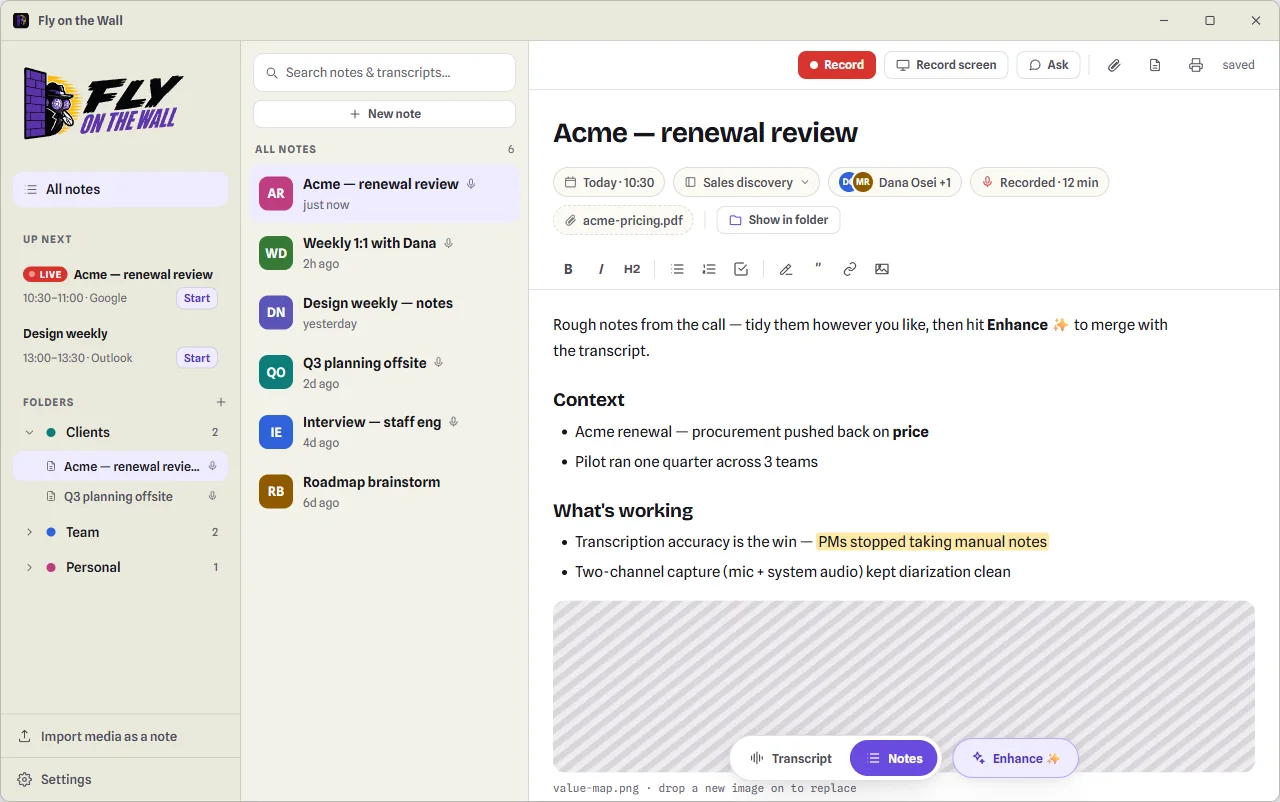
Fly on the Wall listens from your side of the call — your microphone and the sound coming out of your computer — so nothing joins the meeting and there's nothing for other participants to see.
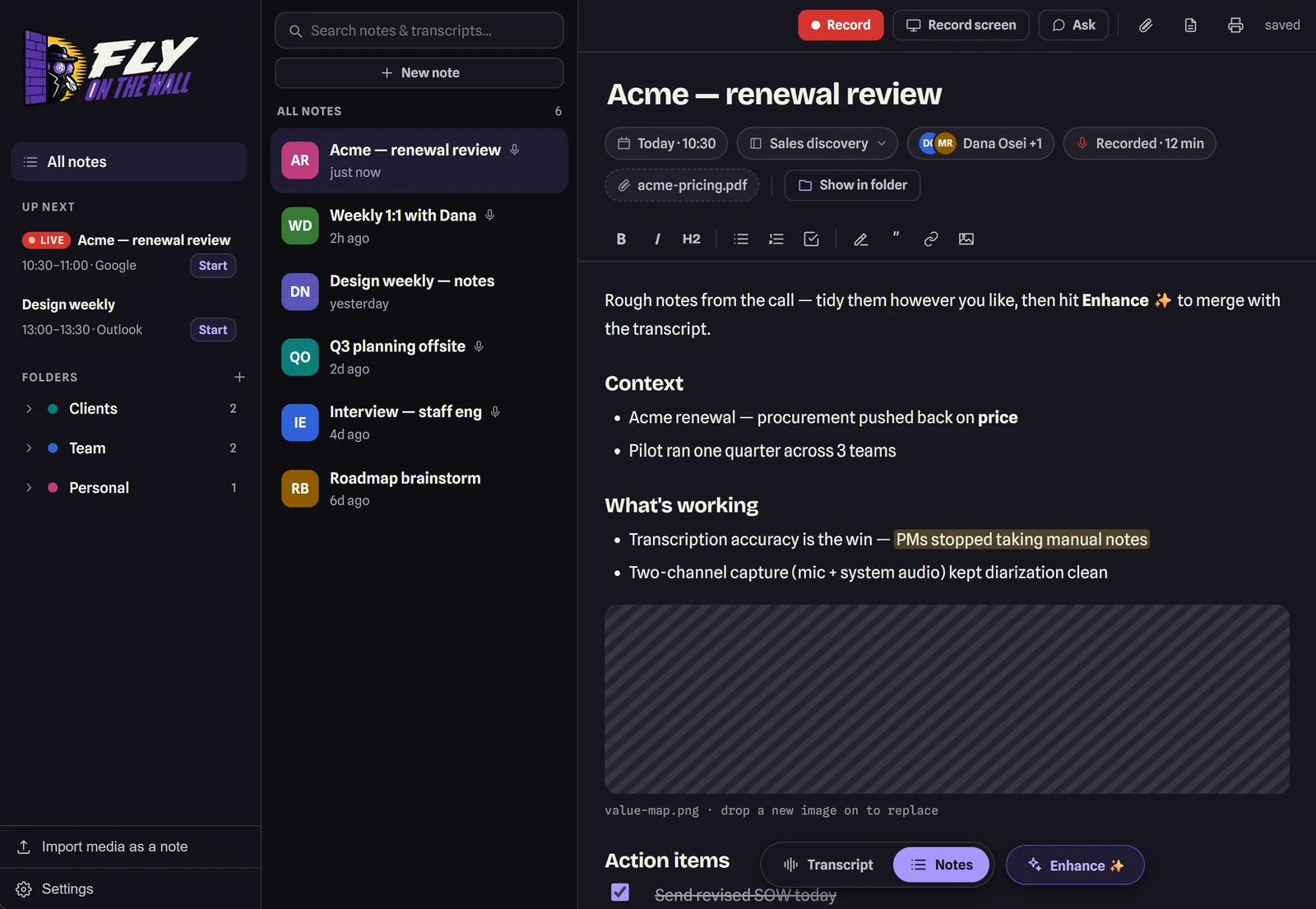
Record
One click — or start straight from a meeting on your connected calendar. Jot rough notes in the scratchpad while you talk.
Transcribe
Stop, and the transcript is built on your machine: timestamped, with speakers separated and labeled. Click any name to rename it.
Enhance
Pick a template — 1:1, sales, standup, interview — and your rough notes become clean, structured ones. Every AI-written line cites the transcript moment it came from.
Ask
"What did I commit to?" "Draft the follow-up email." Chat with the meeting and drop any answer into your note with one click.
Why this exists
I was paying twice for tools that still didn't work.
$15 a month for a meeting note-taker — and everyone's bot crowding the attendee list. If I didn't schedule the meeting myself, the recording saved to someone else's account, and I was the one emailing around begging for access to my own conversation.
Then a separate subscription for a transcription tool, to cover the webinars and courses that never hand you a transcript — running the same open Whisper model my computer could run for free. Two bills for one job, and both tools kept my data walled off from the AI assistants I actually work with.
PCs are more than powerful enough for this now. So I built the tool I wanted: one app that records and transcribes locally, replaces both subscriptions, keeps every word on my own disk — and hands the whole archive to Claude over MCP, so my meeting history becomes something I can actually ask questions of. Then I open-sourced it, so the full stack is yours too.
— Swarnav, builder of Fly on the Wall
Features
Built for people whose meetings are nobody else's business.
Founders, sales, consultants, recruiters — anyone who talks for a living and signs NDAs about it.
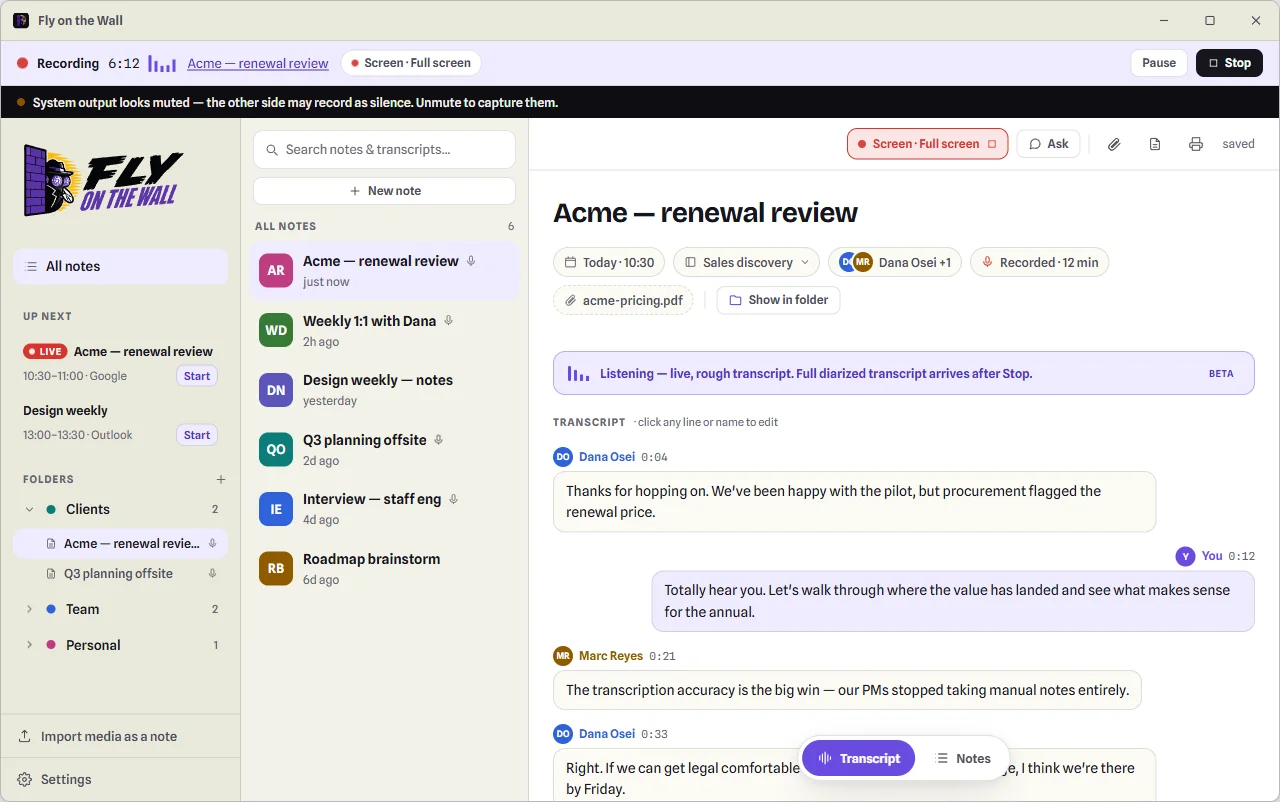
No bot in the room
Nothing joins your call or announces itself. It captures your mic and your system audio as separate channels — so it works with Zoom, Meet, Teams, a webinar, or a phone on speaker. A pinned bar keeps recording unmistakable, and warns you the moment your output looks muted.
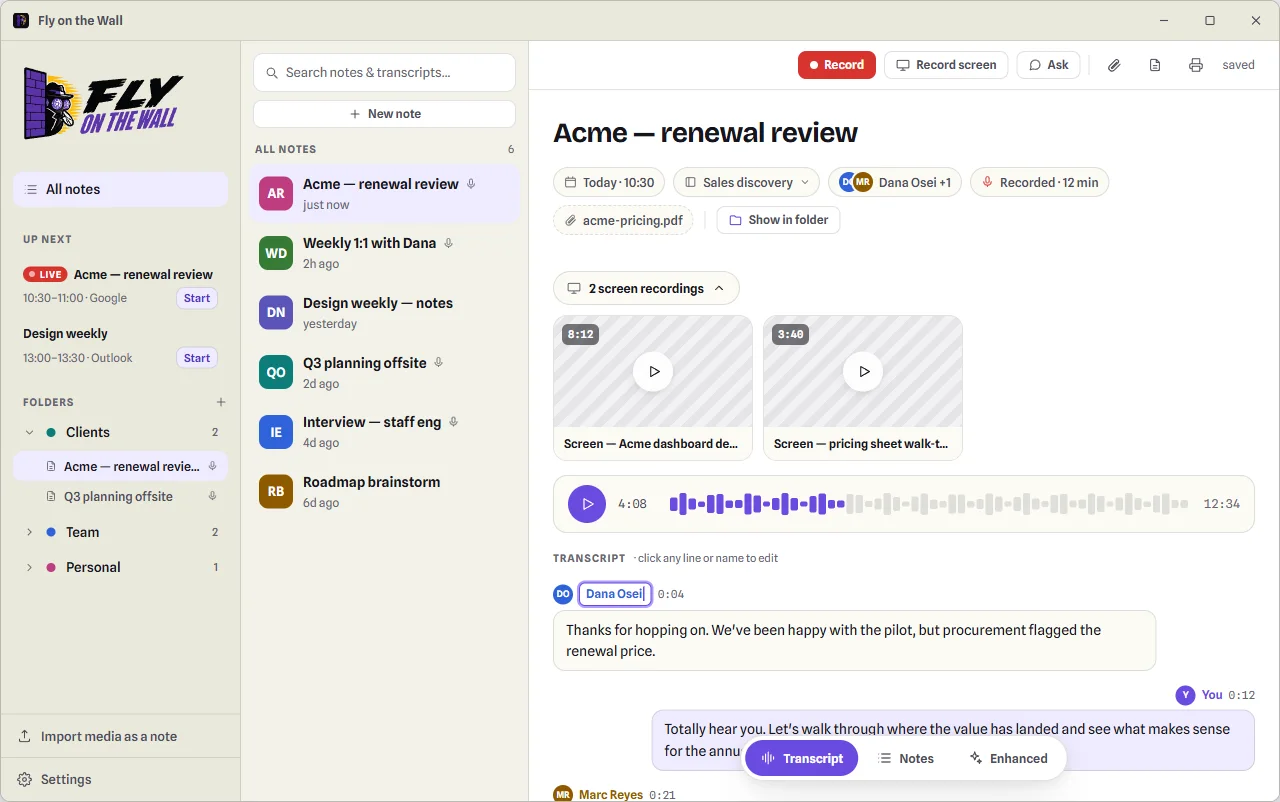
On-device transcripts, speaker by speaker
Timestamped, diarized, and built entirely on your machine. Two-channel capture means speaker labels start from ground truth — click any name to rename it everywhere. After a one-time model download it works with no internet at all.
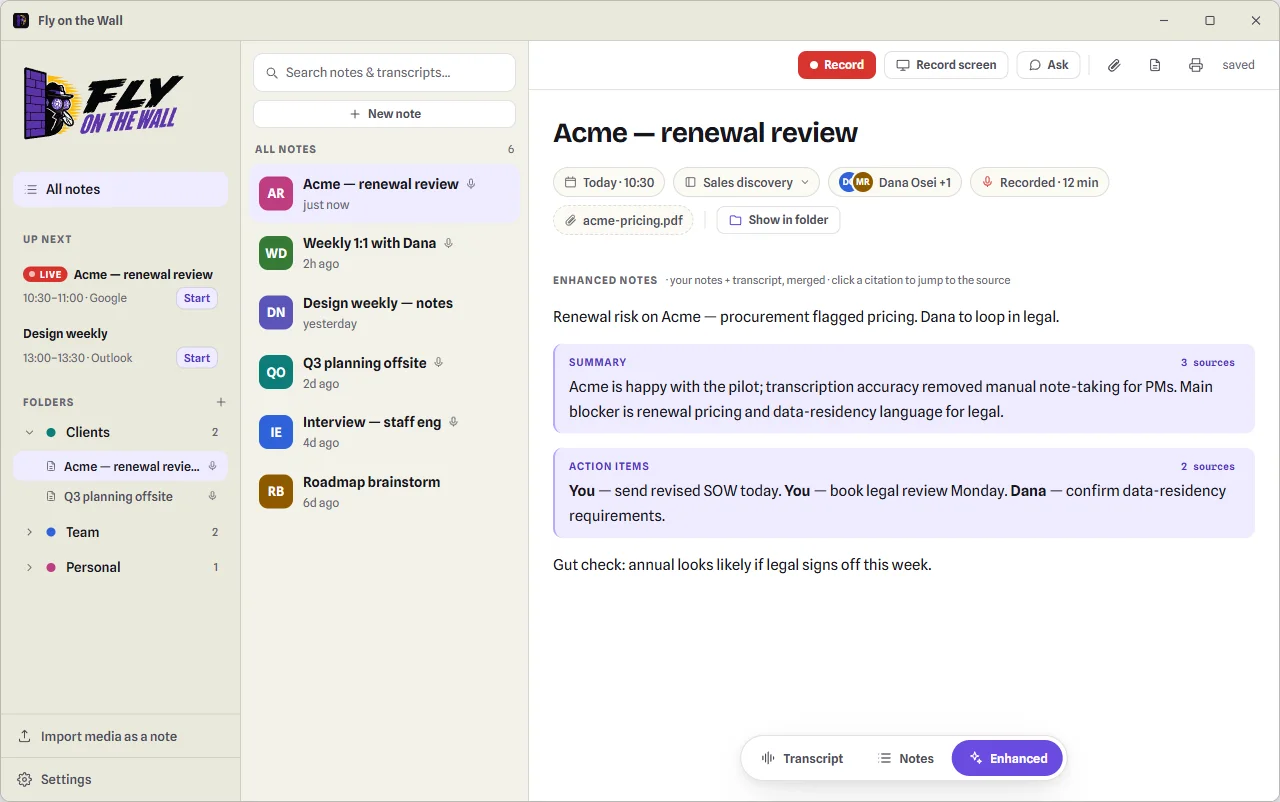
Notes with receipts
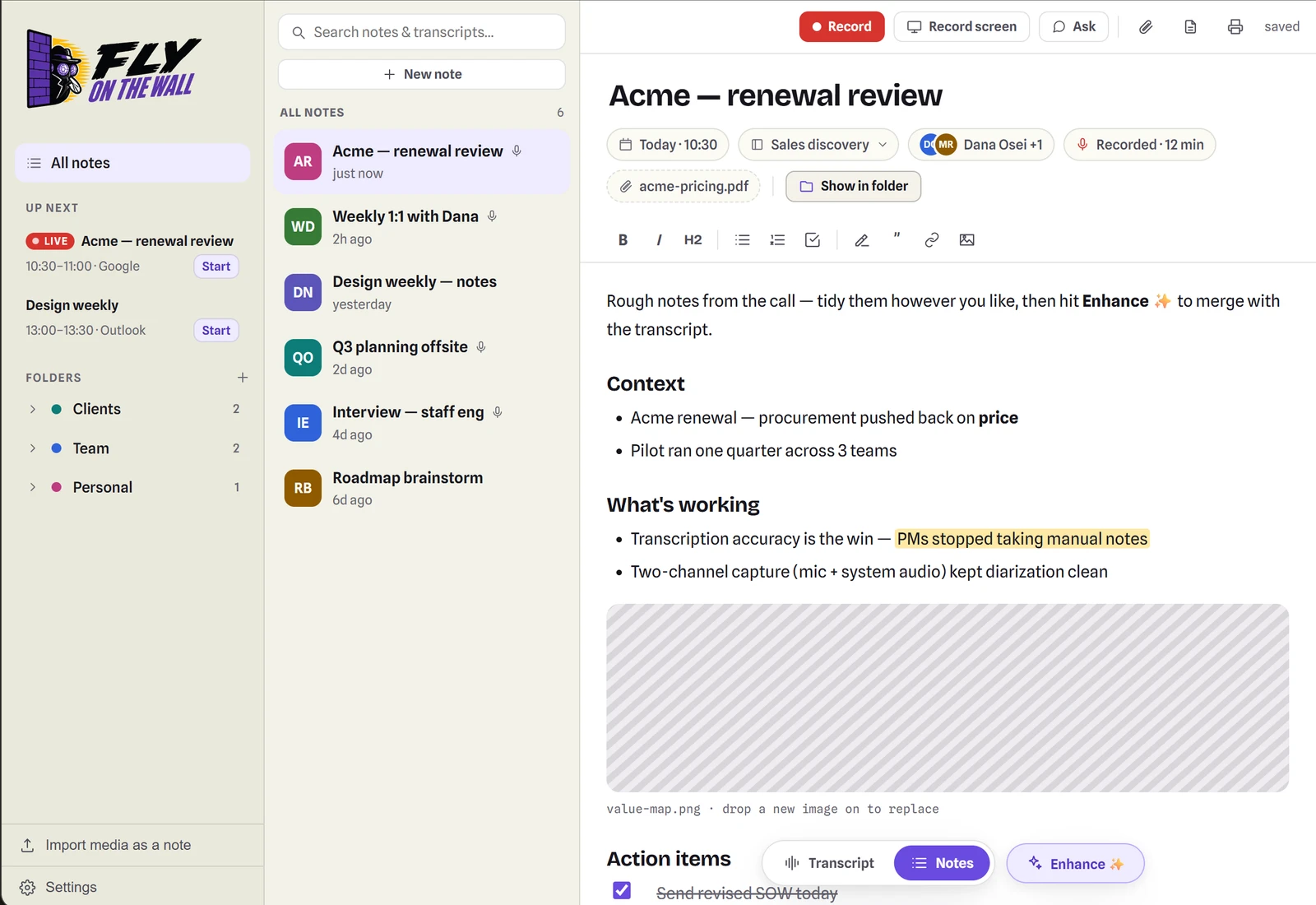
Enhance merges your rough notes with the transcript into clean, structured notes. Your words stay yours; every AI line is tinted and carries a citation chip that jumps to the exact transcript moment. No mystery summaries.
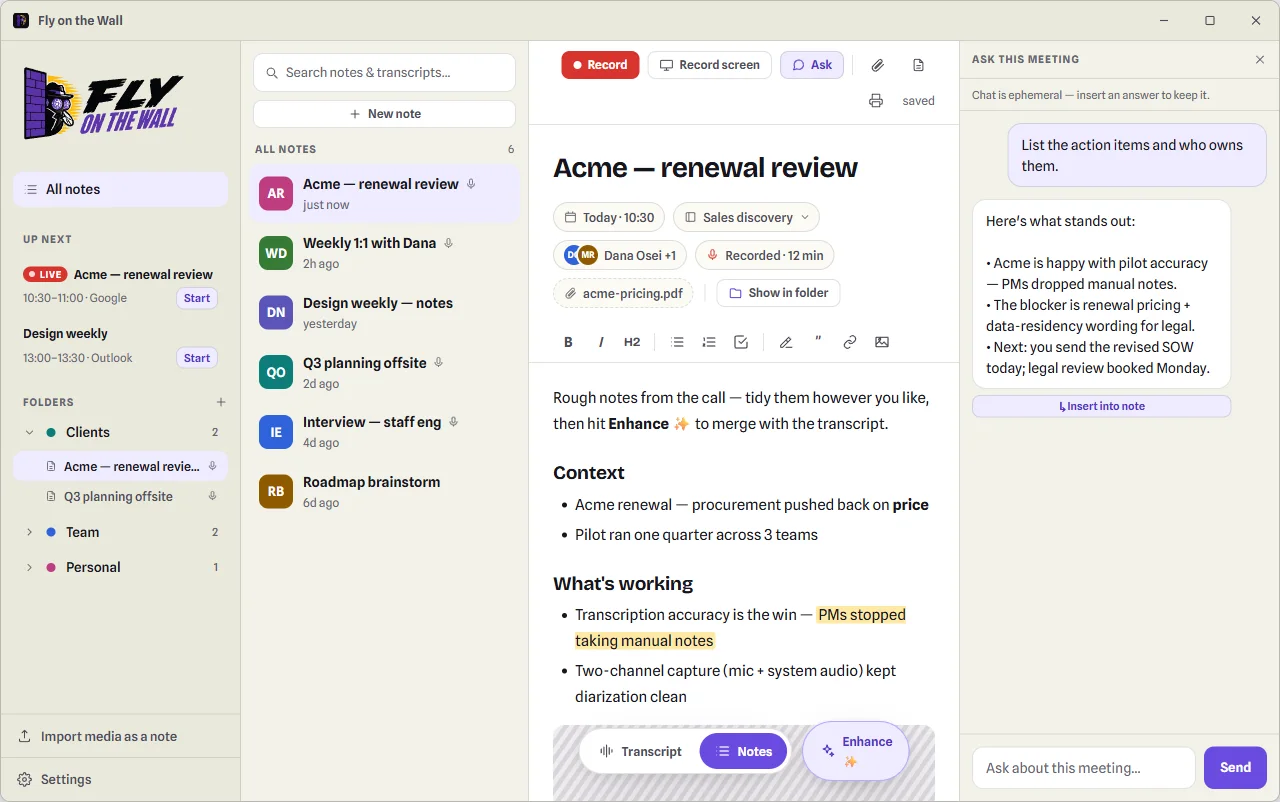
Ask the meeting anything
"What did I commit to?" "Draft the follow-up email." Chat with any meeting, grounded in its transcript — and drop any answer into your note with one click.
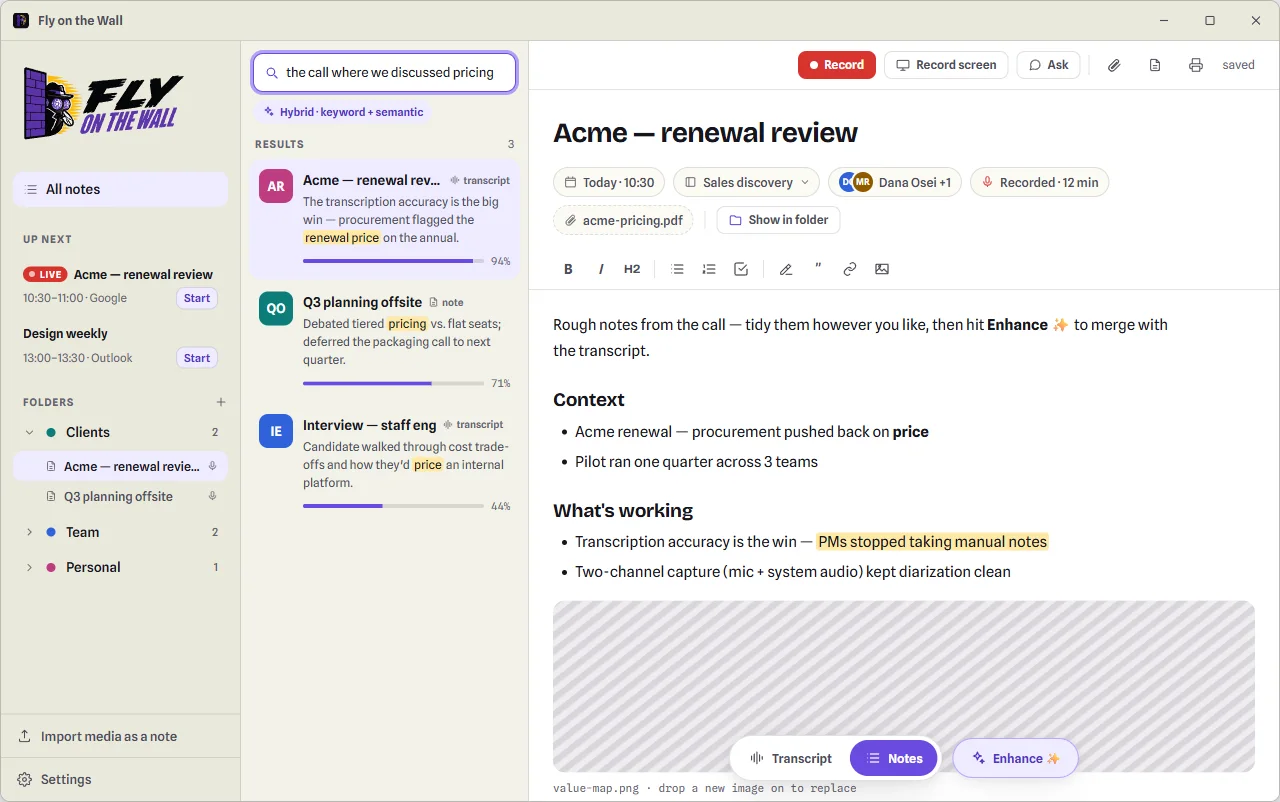
Search that finds meaning
Hybrid keyword + semantic search across notes and transcripts — "the call where we discussed pricing" surfaces the right meeting even if nobody said "pricing".
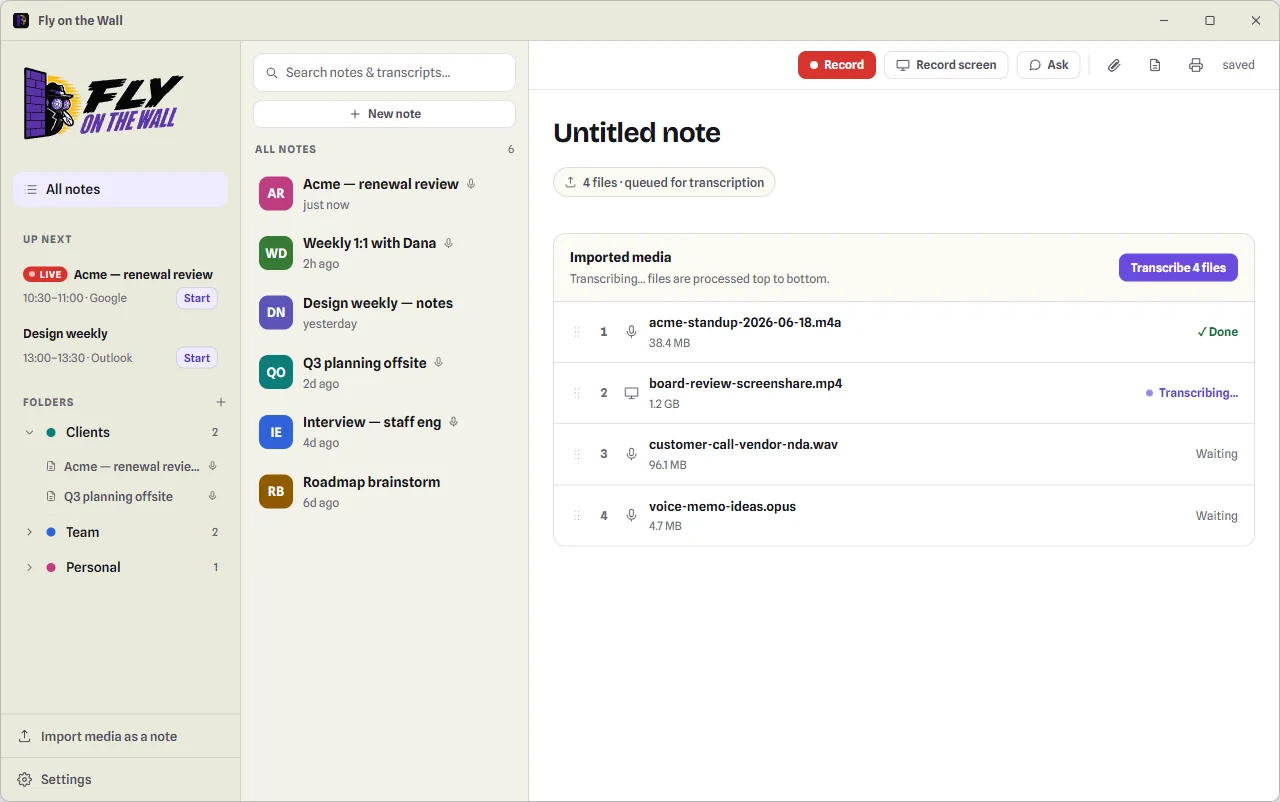
Import old recordings
Drop in existing audio or video files — several at once. They queue, transcribe on your machine, and become notes with the same transcripts, speakers, and enhanced notes. Webinars, courses, meetings from before you installed the app.
Your files, not a silo
Every note is a plain file on your disk. Folders, drag-and-drop, Markdown and PDF export. Back up however you already back up files.
Calendar aware
Connect Google Calendar or Outlook (read-only) to see what's next and start a note straight from the meeting. Sign-ins live in your system keychain.
Folders, colors, emoji
Organize with folders you can color or tag with an emoji, and file notes by drag-and-drop. Your structure is just folders on disk.
Screen capture, synced
Record the full screen, a window, or a region alongside the audio — shown in the transcript as playable tiles.
App screens above are rendered from the product's design system, faithful to the current release.
Privacy
Private by default. Cloud by choice.
There is no server to breach, no retention policy to read, and no vendor in the loop. Exactly two features can touch the internet — both off until you turn them on, both clearly labeled when active, both using your own keys.
Always on your machine
The whole pipeline, local
- Recording — your mic and system audio, captured separately
- Transcription — on-device speech-to-text
- Speaker labeling — who said what, figured out locally
- Enhance & Ask — a local assistant, by default
- Search — keyword + semantic, indexed on your disk
- Storage — plain files you can open in any editor
Optional · your keys · off by default
Two opt-in cloud features
- Groq transcription — faster transcripts on slower computers; audio goes to Groq, speaker labeling stays local
- Claude for Enhance & Ask — bring your own Anthropic key when you want a frontier model on your notes
Keys are stored in your system keychain, never in a plain file — and the app tells you on screen whenever a cloud feature is active.
Compare
The honest comparison.
Looking for a free, open-source alternative to Otter, Fireflies, Fathom, or Granola? Fair — but cloud note-takers are polished products with real strengths: mobile apps, team workspaces, CRM integrations. If those matter more to you than privacy, cost, or control, they're reasonable choices. Here's the objective difference in how they work.
| Capability | Fly on the Wall | Otter.ai | Fireflies.ai | Fathom | Granola |
|---|---|---|---|---|---|
| Where audio is processed | Your computer | Their cloud | Their cloud | Their cloud | Cloud AI for notes |
| A bot joins your call | Never | Optional — bot or desktop app | Yes, by default | Optional — bot-free in beta | No |
| Works with any meeting app | Yes — system audio | Yes, via desktop app | Supported platforms | Supported platforms | Yes |
| Works fully offline | Yes | No | No | No | No |
| Where transcripts live | Your disk, plain files | Their servers | Their servers | Their servers | Their cloud sync |
| Open source | Yes, MIT | No | No | No | No |
| Price | Free | Free tier + paid | Free tier + paid | Free tier + paid | Free tier + paid |
| AI provider | Local by default; bring your own key | Theirs | Theirs | Theirs | Theirs |
If your meetings involve anything you wouldn't paste into a public form — legal, medical, HR, unreleased product, other people's confidential information — the architecture is the feature.
For AI power users
Your meetings, on tap for Claude.
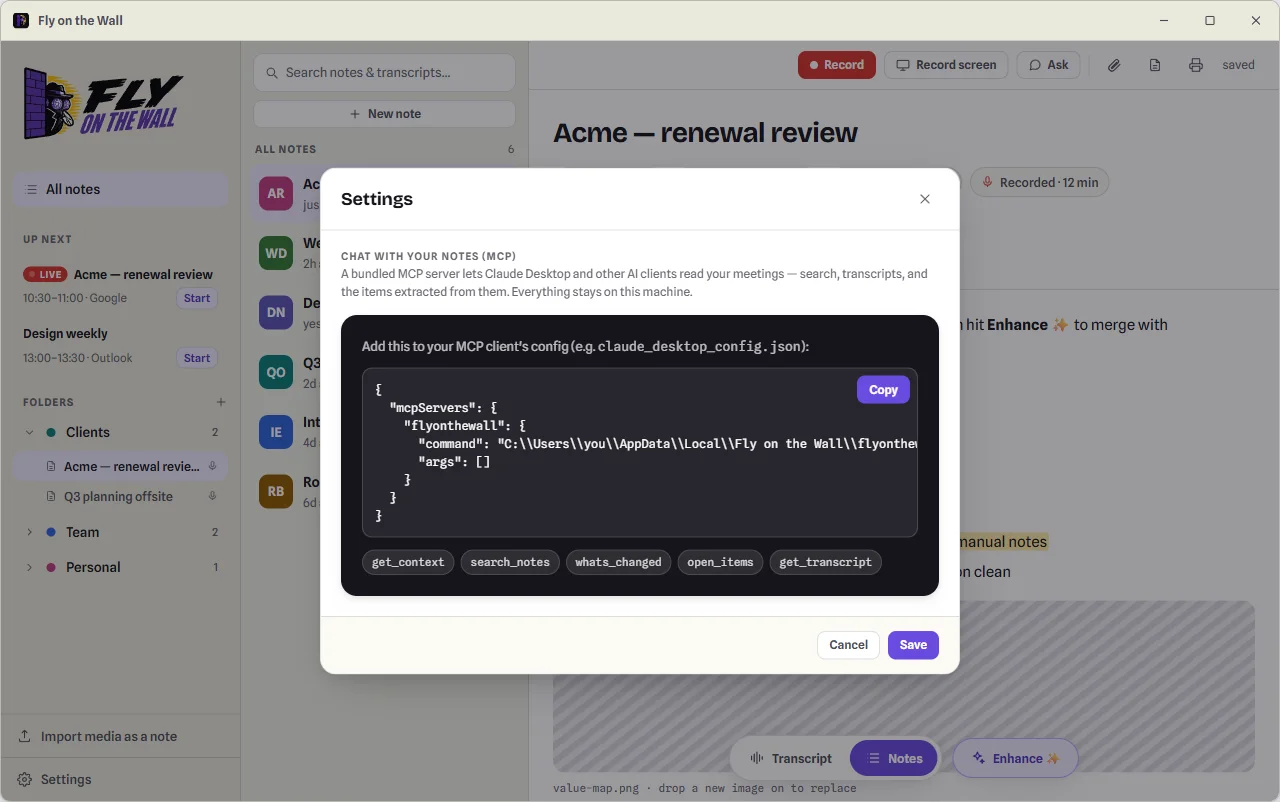
Fly on the Wall ships a local MCP server over your notes, meetings, and transcripts. Connect it to Claude Desktop and ask for a briefing on any project, customer, or recurring meeting — every claim cites its meeting and transcript segments, and nothing leaves your machine.
The app generates the exact config snippet for your install under Settings → "Chat with your notes (MCP)".
FAQ
Questions people actually ask.
Is it really free?
Yes. Fly on the Wall is open source under the MIT license — no accounts, no tiers, no trial timers. The optional cloud features (Groq, Claude) use your own API keys, so any cost there is between you and those providers; Groq has a free tier.
Is this an open-source alternative to Otter, Fireflies, or Granola?
That's the idea — same job (record, transcribe, and summarize your meetings), different architecture. Those tools process your audio in their cloud; Fly on the Wall does everything on your own computer, is MIT-licensed, and replaces a separate transcription subscription too, since imported recordings get the same treatment. The comparison table lays out the differences honestly.
Which meeting apps does it work with?
All of them. It doesn't integrate with meeting platforms — it records your microphone and the sound coming out of your computer. Zoom, Google Meet, Teams, Slack huddles, a webinar, or a phone on speaker next to your laptop all work the same way.
Do other participants see anything?
No. Nothing joins the call, so there's no bot in the attendee list and no "recording" banner from Fly on the Wall. Note that laws on recording conversations vary by place — getting consent is on you.
What are the platform caveats?
Windows, Linux, and macOS 14.2+ capture both channels. On macOS you'll get a one-time system prompt to allow audio recording (System Settings → Privacy & Security → Screen & System Audio Recording); on older versions of macOS, or if that permission can't be granted, it records your microphone only and tells you so — everything else works. Installers are currently unsigned, so each OS shows a one-time warning on first launch; the README walks you past it.
Does the AI need the internet?
Not by default. Enhance and Ask run on a local assistant on your computer. If you want a frontier model instead, you can plug in your own Anthropic key — and the app labels it clearly whenever a cloud feature is active.
How do I set up calendars and API keys?
Step-by-step guides — one-click Google and Outlook connections for invited testers, bring-your-own OAuth app instructions, and Groq / Anthropic key walkthroughs — live in the README's setup section.
Be the fly on the wall.
Free, open source, and yours in about a minute.